

Java shaders, on the phone in your pocket
What Is Magic Loader?
Magic Loader is a Minecraft Bedrock launcher client for Android that loads Java Edition shader packs inside the Bedrock game, so the lighting, water, skies and shadows of Java shaders run on a phone. The magic loader client comes from the YSS Community, short for Years Static Shader, the shader community whose name Bedrock players already know from years of RenderDragon pack work.
Bedrock on Android has never had a native way to run Java shader packs. The game uses its own RenderDragon engine, and the famous Java packs, the ones behind every cinematic Minecraft screenshot, were built for a completely different edition. Magic Loader, also introduced to many players as Magic Launcher, is the bridge: open the client, pick a pack, and launch into your world with Java style light pouring through the trees.
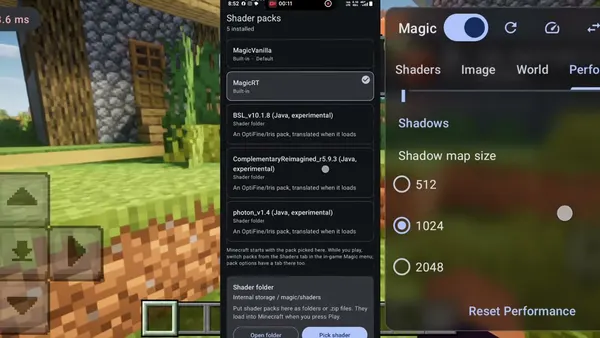
In early hands on videos, players open the in game Magic panel, switch between packs such as MagicVanilla, Complementary Reimagined and BSL, adjust shadow quality, and fly over their worlds while an FPS counter runs in the corner. That is the whole promise of the magic loader Apk in one screen: pick a Java pack, press play, and watch Bedrock change its light.
Pick a pack, press play
How Magic Loader Works
The client works as a launcher around your existing Minecraft Bedrock install. Your worlds, skins and settings stay where they have always been, because Magic Loader starts the game through its own shader layer rather than replacing the game itself. You still need Minecraft Bedrock installed on the phone: the client brings the shaders, the game brings the world.
Inside the game, a Magic settings panel does the day to day work. Early test builds show tabs for Shaders, Image, World and Performance, a pack list with MagicVanilla alongside Java packs marked as experimental, and practical controls such as shadow map size. Lower the heavy settings and a modest phone keeps moving; raise them and a strong phone turns a plain savanna into a film set.
That panel is also why the client spread so fast on video. Viewers could watch the same scene change character three times in a minute: flat vanilla light, the soft warmth of MagicVanilla, then the full drama of a Java pack with waving water and a low sun. No editing trick, just the loader doing its job live.
What the client brings
Magic Loader Features
Java shaders inside Bedrock
The headline act: shader packs written for Java Edition, loaded and rendered inside Minecraft Bedrock on Android, with their lighting models intact.
Complementary and BSL support
The two most loved Java packs headline the early pack lists, shown running in test worlds with their signature sunsets, fog and water.
MagicVanilla house pack
The YSS Community ships its own lighter pack in the list, a gentler step up from vanilla for phones that cannot push the heavy Java packs.
In game Magic panel
Shaders, Image, World and Performance tabs inside the game, so pack swaps and quality changes happen without leaving your world.
Real shadows and reflections
Moving tree shadows, reflective water and lit clouds: the visual details Bedrock players have watched Java players enjoy for years.
Performance controls that matter
Shadow map size and quality switches in the panel let you trade beauty for frames per second on the spot, per world and per pack.
Your game stays your game
The client launches the Minecraft you already own and play. Worlds, add ons and progress live in the game, not inside the loader.
Built by a shader community
YSS has published Bedrock shader work for years, and the community channels around the client carry pack news, settings shares and bug reports.
Shot on real phones
Magic Loader Screenshots
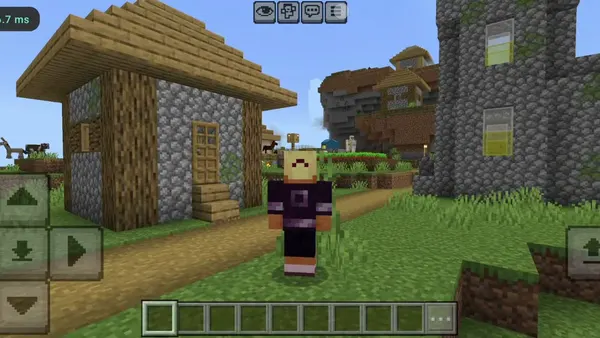
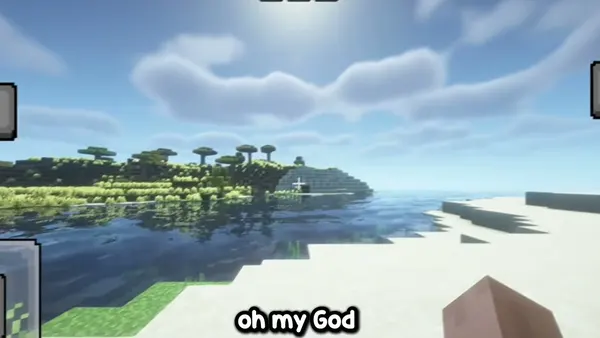
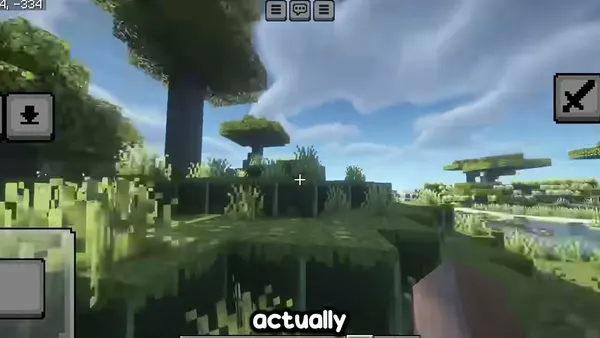
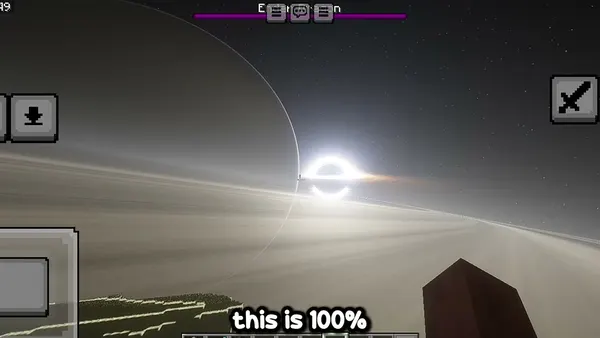
These views are real gameplay frames from early Magic Loader test videos: Java packs running in Bedrock worlds on Android phones, touch controls and all.
Running in minutes
How to Install Magic Loader on Android
- Get the client from the download page. Use the download button at the top of this page, wait out the short countdown on the next screen, and tap the button when it appears so the Magic Loader file lands in your downloads.
- Allow the install when Android asks. Open the finished file and, if your phone asks, permit installs from your browser for this one file. That prompt appears for every app installed from a downloaded file.
- Keep Minecraft Bedrock ready. The client launches the Bedrock game you already play, so make sure Minecraft is installed and updated on the same phone before your first launch.
- Open Magic Loader and launch the game. Start the client, let it prepare the shader layer, and enter your world the way you always do, through the game the client opens for you.
- Pick your first pack in the Magic panel. Start with MagicVanilla or a light setting, look around, and only then climb to Complementary or BSL. Your eyes and your frame rate will both thank you.
The packs everyone asks about
Shader Packs: MagicVanilla, Complementary and BSL
MagicVanilla is the house option from the YSS Community: a lighter, cleaner take on the vanilla look that keeps the game recognisably Minecraft while fixing its flat light. It is the sensible first pack, especially on mid range phones, because it shows what the loader does without asking the hardware for everything at once.
Complementary Shaders are the crowd favourite of the Java scene, famous for warm sunsets, soft clouds and water that looks like water. In early Magic Loader tests, Complementary Reimagined is listed among the Java packs in the panel, marked experimental, and its golden hour scenes are the ones filling social feeds.
BSL Shaders bring a brighter, crisper look: strong colour, clean shadows and a very photographic sky. BSL also appears in the early pack lists as an experimental Java option. Players with strong phones tend to land on BSL for screenshots and Complementary for everyday play, and the panel makes swapping between them a ten second job.
Start light, then climb: experimental Java packs are the heaviest thing your phone will ever render in Minecraft. Give each pack five minutes in a test world before you judge it, and judge it by the frame rate in a forest at sunset, not by a still screenshot.
Phones, chipsets and expectations
Device Compatibility
Magic Loader runs on Android phones with Minecraft Bedrock installed. The honest variable is not the loader, it is the pack: MagicVanilla asks little, while the experimental Java packs ask a phone GPU to do Java desktop work. Early testers have published smooth runs on phones such as the Infinix GT 30 Pro, and one early tester specifically noted his Java shader client run worked on a non Snapdragon chipset, which is encouraging news for MediaTek and Dimensity owners.
Treat chipset reports as a starting point, not a promise. Two phones with the same chip can behave differently once heat, screen resolution and world size join the party. The Performance tab in the Magic panel exists for exactly this reason: set shadow quality for the phone in your hand, not for the phone in a video.
Tablets work the same way as phones, with more screen for the same job. Whatever the device, keep some free storage for the game and its packs, and close heavy background apps before a long shader session.
Checked before it reaches you
Safety and Verification
Every build published here is installed and launched on our own Android test phones before the download goes live. We check that the client installs cleanly, opens, launches Minecraft Bedrock, shows the Magic panel in game, and switches packs without breaking the world. A build that fails any of those checks does not get published.
Our standing advice travels with every client like this one: install one thing at a time, keep your worlds backed up before you experiment with heavy packs, and learn any new loader in a fresh test world first. Your main survival world has earned that respect.
Under the hood
Technical Details
Bedrock and Java are two different editions of Minecraft with two different rendering stacks. Bedrock on Android renders through RenderDragon, while Java shader packs are written for the Java edition graphics pipeline, with its own material and post processing language. A client like this one earns its keep by translating between those worlds at launch time: the pack thinks it is home, the game thinks nothing unusual is happening, and the phone does the hard work in between.
That translation is why the early Java packs carry an experimental label in the pack list, and why settings such as shadow map size matter so much. Every step up in shadow resolution multiplies the work per frame. The Magic panel exposes those levers in the open, across its Shaders, Image, World and Performance tabs, instead of hiding them in config files the way desktop shader setups often do.
The client itself is a launcher, not a game and not a pack: it needs the real Minecraft Bedrock on the device, and it adds the shader layer on top. Remove the client and the game returns to its normal look, with your worlds untouched.
The honest scorecard
Pros and Cons
What shines
- Real Java shader packs, including Complementary and BSL, inside Bedrock on a phone
- An in game panel that makes pack swaps and quality changes painless
- MagicVanilla gives weaker phones a genuine step up from vanilla light
- Your existing worlds, skins and game stay exactly where they were
- Built and maintained in the open by the YSS shader community
What could sting
- The heavy Java packs are marked experimental, and they behave like it at times
- Frame rates depend hard on your chipset, cooling and settings choices
- Long sessions with big packs warm a phone up and drink battery
- You still need a real copy of Minecraft Bedrock on the device
When the magic will not start
Troubleshooting
The game opens without shaders. Launch through the Magic Loader client, not through the normal Minecraft icon, and confirm your pack is selected in the Magic panel once the world loads.
The frame rate falls off a cliff. Drop the shadow map size a step, switch from a heavy Java pack to MagicVanilla, and test again in the same spot. Settings, not reinstalls, fix most slowdowns.
The install is blocked. Android is doing its job: allow installs from your browser in the prompt, finish the install, and the client opens normally.
A pack looks wrong or glows oddly. Experimental packs can misread a scene. Swap to MagicVanilla to confirm the loader itself is healthy, then return to the Java pack with lower Image settings.
Staying current
How to Update
Shader clients move quickly while they are young, and this one is very young. When a refreshed Magic Loader build is published here, updating is the same simple motion as installing: fetch the new file from the download page and install it over your existing copy. Your worlds and your game are never inside the client, so nothing about your Minecraft life moves.
After an update, revisit the pack list before you play. New builds tend to add packs, rename experimental entries or change default quality settings, and two minutes in the Magic panel saves a confused first session.