
Guide
Magic Loader Best Settings: Beauty and Frame Rate in Balance
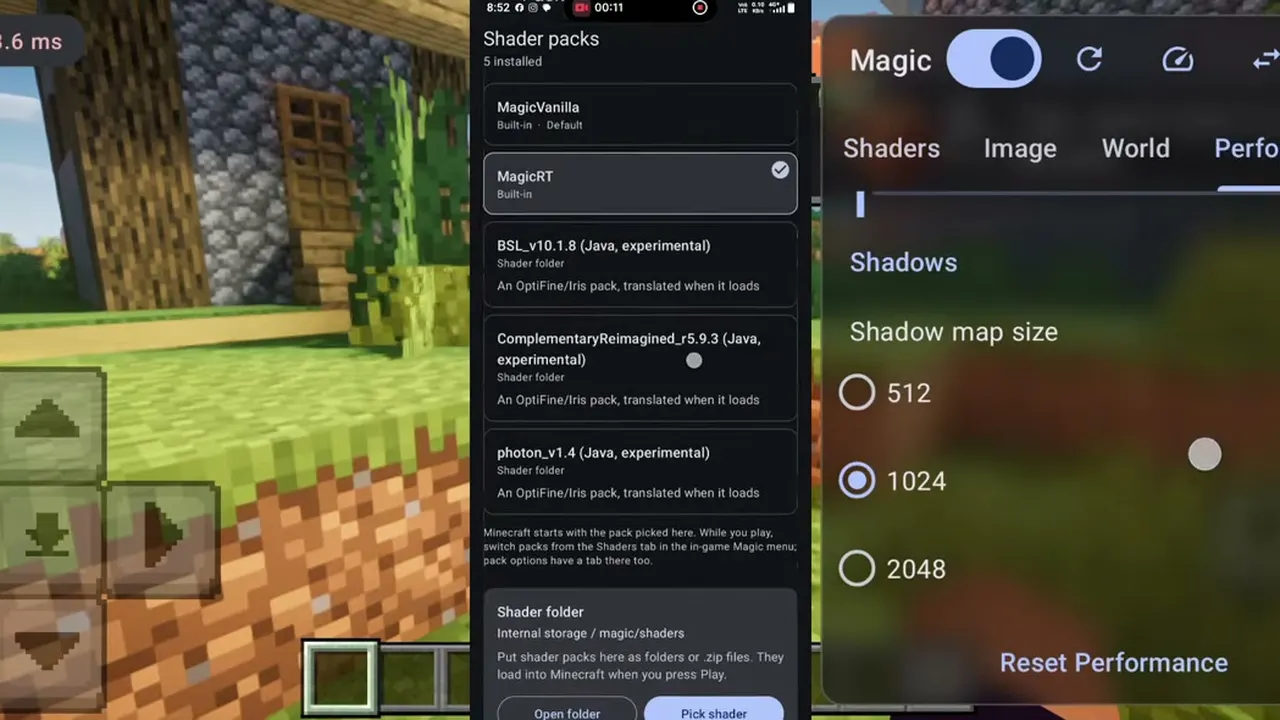
The settings that matter in the magic loader client, in the order to change them: shadow map size first, then Image, World and Performance habits that hold frames.

CONTENTS On this page
Start with the file and the facts from the Magic Loader app, and a phone that stays cool enough to hold. This page walks the panel in the order an experienced tester changes it, so you reach your comfort setup in minutes instead of evenings.
Shadow map size: the first and biggest lever
Every step of shadow map size multiplies the rendering work behind every shadow in the scene. It is also the most visible quality jump, which is why it tempts everyone upward. Start one step below the middle, test in a forest, then climb only while the frame rate stays honest.
A useful rule: if a setting change only shows in screenshots, it is a screenshot setting. Play settings are the ones your hands can feel. For the neighbouring topic, Magic Loader Not Working? Seven Fixes That Solve Most Problems covers the next step in the same plain style.
Image and World: small steps, big mood
Work through the Image tab in small steps, judging each change on the same saved view: a house by water at sunset covers sky, reflection, shadow and colour in one frame. World tab options shape the scene itself, so change those between sessions, not mid session, or you will lose track of what helped.
Take a screenshot of your panel when a setup feels right. After an update resets defaults, that photo is a two minute restore instead of a fresh evening of tuning. Players who finish this page usually continue with Magic Loader FPS Guide for the follow on detail.
Performance habits that hold frames
Heat management is a setting too: a cooler phone holds boost clocks longer, so short breaks and lower screen brightness genuinely raise sustained frame rates with heavy packs. Close background apps before long sessions, and judge packs by minute ten, not minute one.
Finally, keep two setups: comfort for play, beauty for screenshots. The panel makes switching cheap, and your survival world deserves the comfort one.
Quick Answers
What is the single most important setting?
Shadow map size. It moves both quality and frame rate more than anything else in the panel.
Should I copy settings from videos?
Use them as a starting point only. Chipset, cooling and screen resolution make every phone its own answer.
Why does my frame rate drop over a long session?
Heat. As the phone warms, the GPU slows to protect itself. Lower settings or shorter heavy pack sessions are the honest fixes.
Do settings carry between packs?
Some quality settings carry, pack specific looks do not. Note your per pack comfort values; it takes two minutes and saves evenings.